Website powered by
Marmoset toolbag 3 protection hologram tutorial
1. Open your substance painter project.
1. Open your substance painter project.

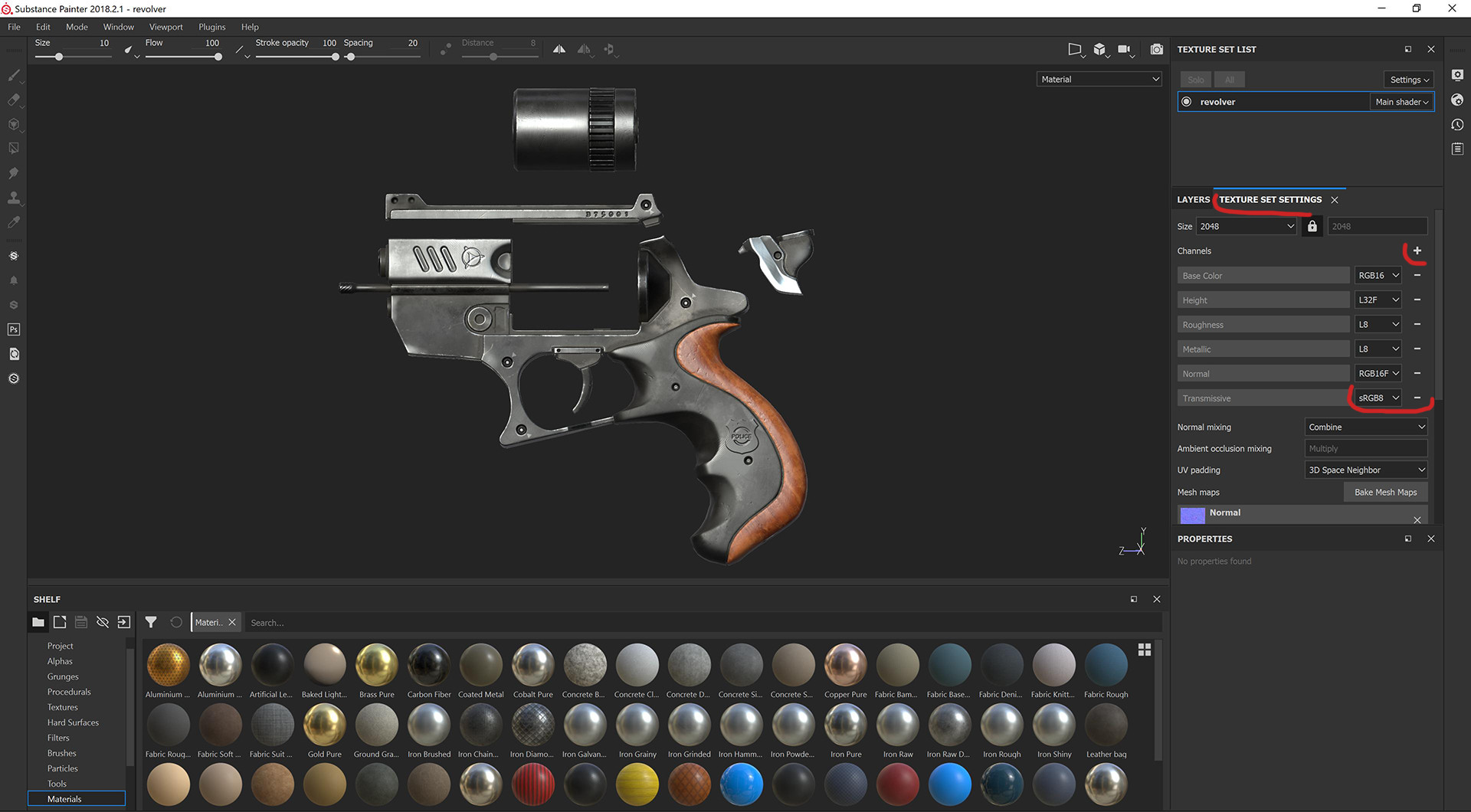
2. First, in texture set settings add transmissive channel.

2. First, in texture set settings add transmissive channel.

3. Make folder for hologram, and assign black mask to it.

3. Make folder for hologram, and assign black mask to it.

4. Add base fill layer inside the folder. In black mask add paint. Select brush as you want and paint mask on mesh.
4. Add base fill layer inside the folder. In black mask add paint. Select brush as you want and paint mask on mesh.

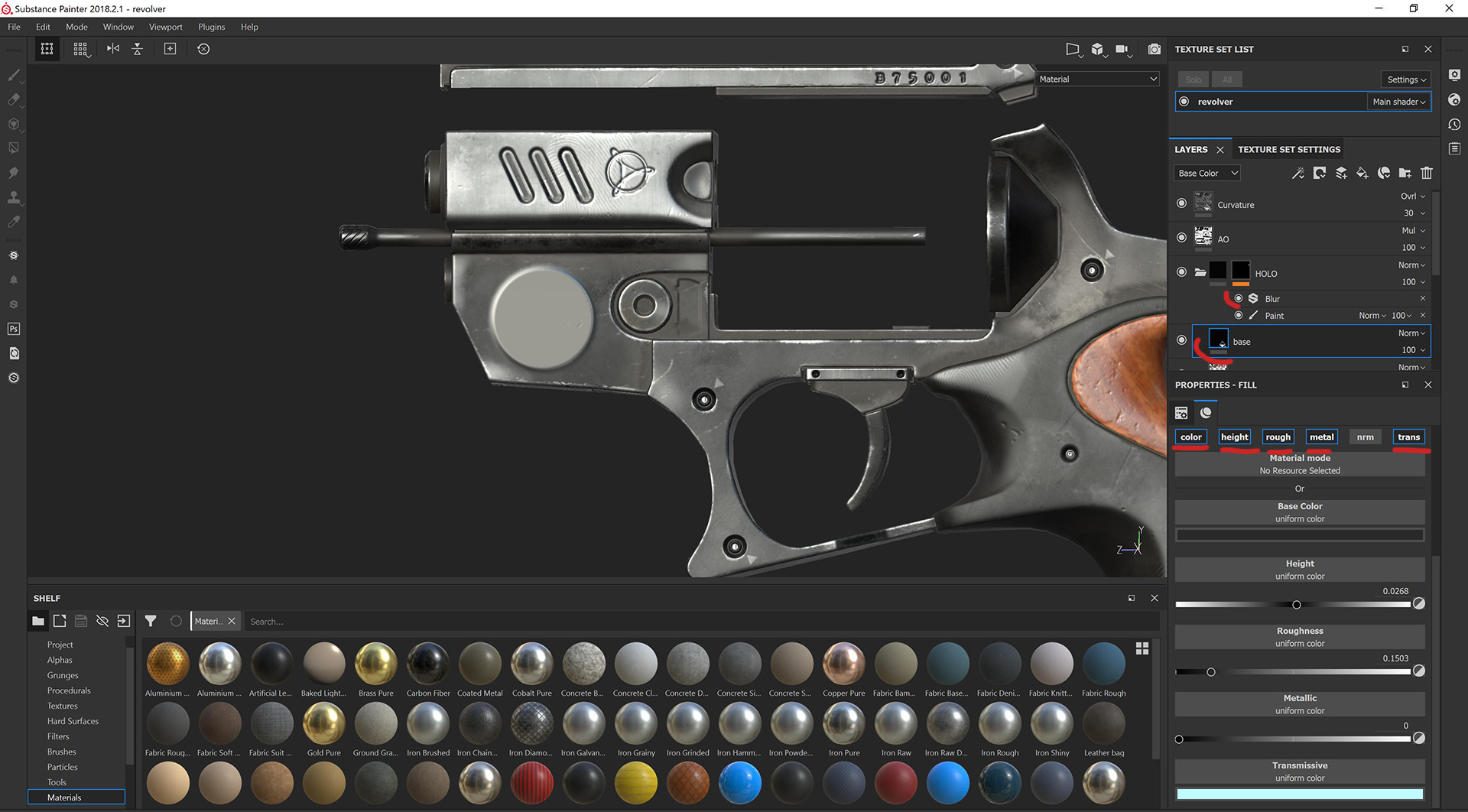
5. In folders black mask, add blur, to make the edges of hologram softer.Then in base fill layer redact color,height,rough,metal,and transmissive channels.

5. In folders black mask, add blur, to make the edges of hologram softer.Then in base fill layer redact color,height,rough,metal,and transmissive channels.

6. Choose to show transmissive channel in upper right corner of the screen. Add secondary channel to hologram folder for make base transmissive color more interesting. Include only transmissive color.

6. Choose to show transmissive channel in upper right corner of the screen. Add secondary channel to hologram folder for make base transmissive color more interesting. Include only transmissive color.

7. Add some effects and logo to hologram, yet only transmissive channel.
7. Add some effects and logo to hologram, yet only transmissive channel.

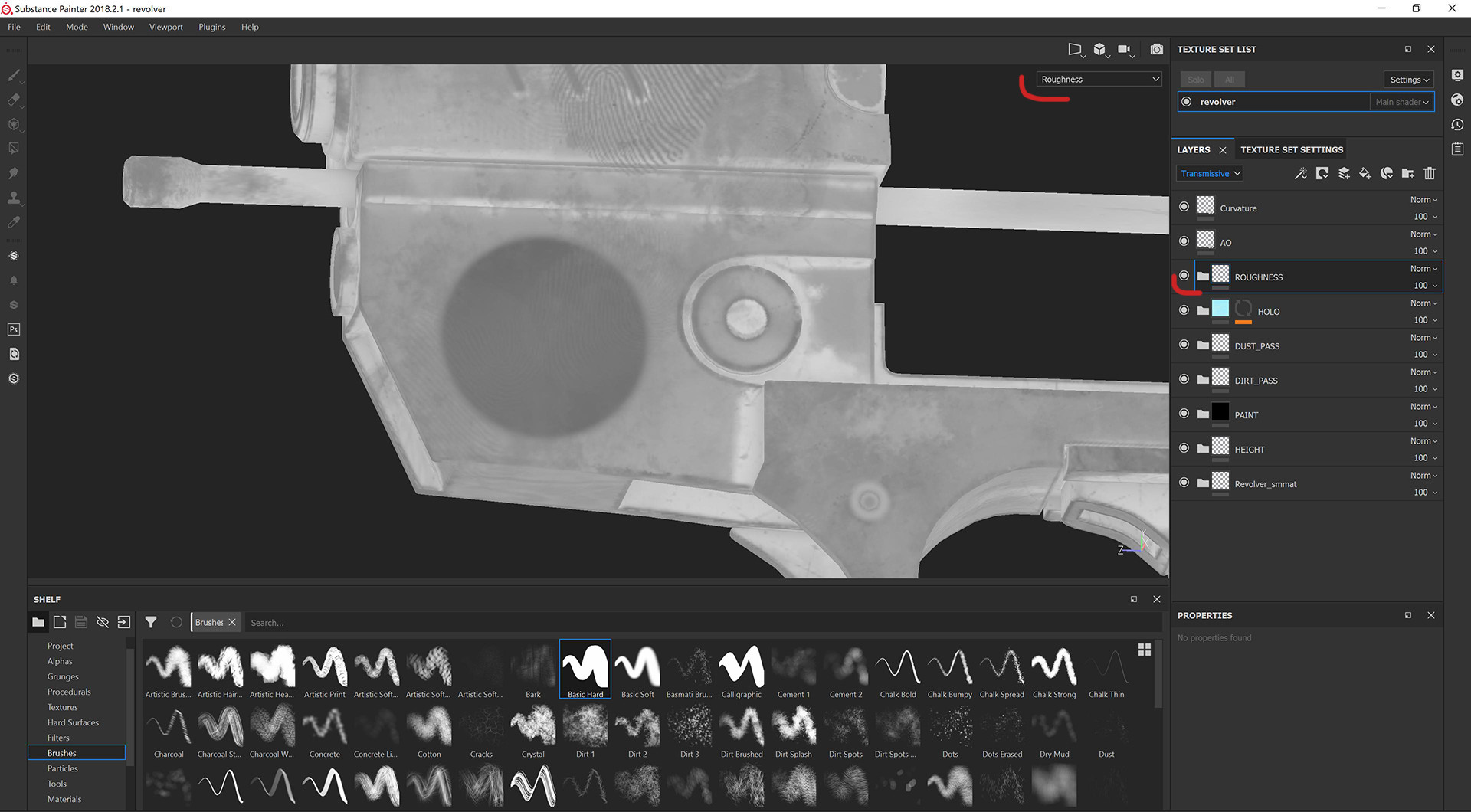
8. Paint some roughness details.

8. Paint some roughness details.

9. Export texture maps.

9. Export texture maps.

10. Open your marmoset project. Make sure that asset have real world scale. Assign texture maps.
10. Open your marmoset project. Make sure that asset have real world scale. Assign texture maps.

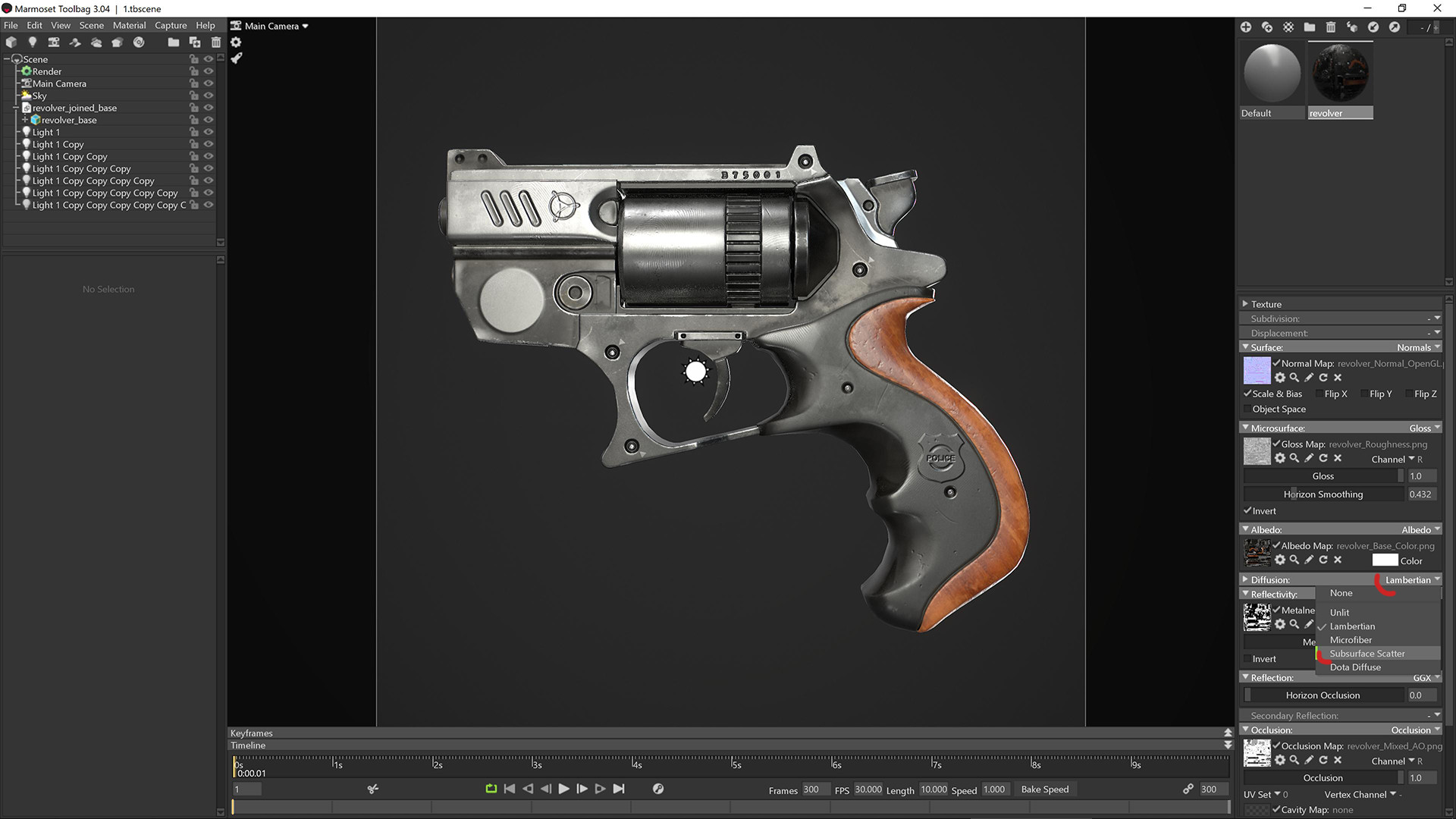
11. Change diffusion from lambertian to subsurface scatter.

11. Change diffusion from lambertian to subsurface scatter.

12. Assign transmissive maps. Fuzz parameter can be different.That's all:) Thank you!

12. Assign transmissive maps. Fuzz parameter can be different.That's all:) Thank you!

Marmoset toolbag 3 protection hologram tutorial

Hello! Here is a tutorial that I prepared for people who want to know how to make "hologram" effect in Marmoset toolbag 3.

More artwork